Technology means we have the whole world within reach. Geolocation (think Google maps) has changed the way we think, work, search, and is an integral part of several sites and apps. Consider a website like bookatable …the first step involves searching for restaurants near you (by postcode). This involves searching by location. Check out https://www.uber.com as another example and analyse how it works.
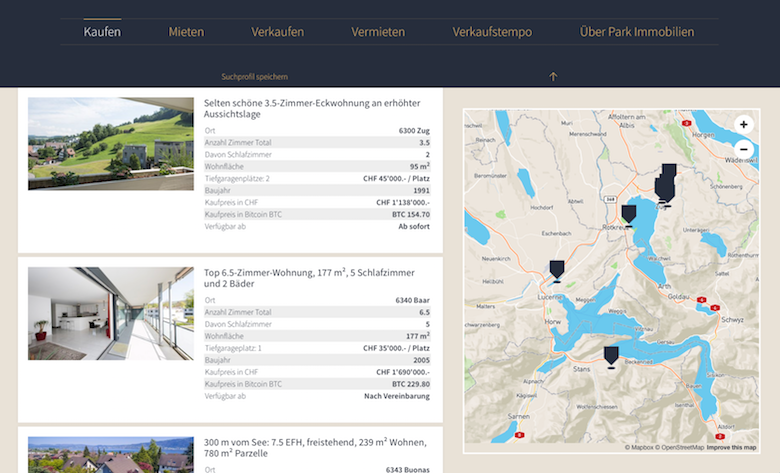
On googling geolocation, it is obvious that Django has objects, wrappers and libraries that cover this but it was less than obvious to know where to start. I first found this,
https://docs.djangoproject.com/en/1.11/ref/contrib/gis/geoip/
realizing it was a module that is now deprecated. I then found this, which is specifically for IP-based geolocation: https://docs.djangoproject.com/en/2.2/ref/contrib/gis/geoip2/
But there’s also: GeoDjango – GeoDjango intends to be a world-class geographic Web framework. Its goal is to make it as easy as possible to build GIS Web applications and harness the power of spatially enabled data. The official documentation for this can be found here: https://docs.djangoproject.com/en/2.2/ref/contrib/gis/
As you research geolocation and Django, you’ll realise that to create a proper functional app, you’ll need some sort of database to keep track of things too.
For instance, you could use a spatial database (PostgreSQL and PostGIS) to get benefits from the spatial features and easily implement location-aware web apps.
A term you’ll come across a lot is: GIS. GIS stands for Geographic Information System. It’s an information system (an organized system for the collection, organization, storage, and communication of information) designed for processing and manipulating data that have geographic or spatial characteristics.
GeoDjango also provides Python bindings to popular spatial libraries such as GEOS, GDAL, and GeoIP, which can be used separately without Django in any Python application or interactively in the shell.
GeoDjango basically makes it easier to work with geospatial data, in other words data that identifies the geographic location of natural or artificial features on Earth and is stored as coordinates and topologies.
Finally, a few more useful notes: GeoDjango integrates beautifully with the Django ORM and provides a set of geometry fields defined by the Open Geospatial Consortium (OGS) that can be used to map to different types of geometries in geospatial databases: It is handy to be aware of the following, that you’d come across a lot if working with GeoDjango.
GeometryFieldis the base class for all geometric fields in GeoDjango.PointFieldis used for storing GEOS Point objects.PolygonFieldis used for storing GEOS Polygon objects and so on.
What essentials do I need to work with GeoDjango?
To be able to work with GeoDjango, you’ll need to have two things: a spatial database and geospatial libraries. A spatial database is a database that is optimized for storing and querying data that represents objects defined in a geometric space.
A good geolocation and Django tutorial: – The following tutorial will point you in the right direction, with some great explanations, for creating a location based app with geodjango.
https://realpython.com/location-based-app-with-geodjango-tutorial/
As ever, it’s useful to have a look at projects actually created using GeoDjango, and here are a few links that may be useful.
Projects – Downloads
GeographicAdmin – A sample project that highlights the Django Admin and Databrowse with GeoDjango spatial features (embedded OpenLayers maps) is available, with installations instructions at GeographicAdminQuickStart. This project includes sample data.
GeoIP – A sample project that utilizes the GeoDjango wrapper around the GeoIP python library, used for mapping IP addresses is available, with installations instructions at GeoIPQuickStart.
For further offerings look in SVN Trunk to see what is available.

 LearnDjango.io - a web dev journey